Multitouch @ SOCO Amsterdam

Application, Multitouch 4 Comments »

My 2 minutes of fame…

Last saturday MMA Pro was presented on national television (NED3, VPRO) in the show called “In de ban van ‘t ding”. The documentary created by Dahl TV and Bright Magazine is about the (new) technologies which have an impact on our daily lives.

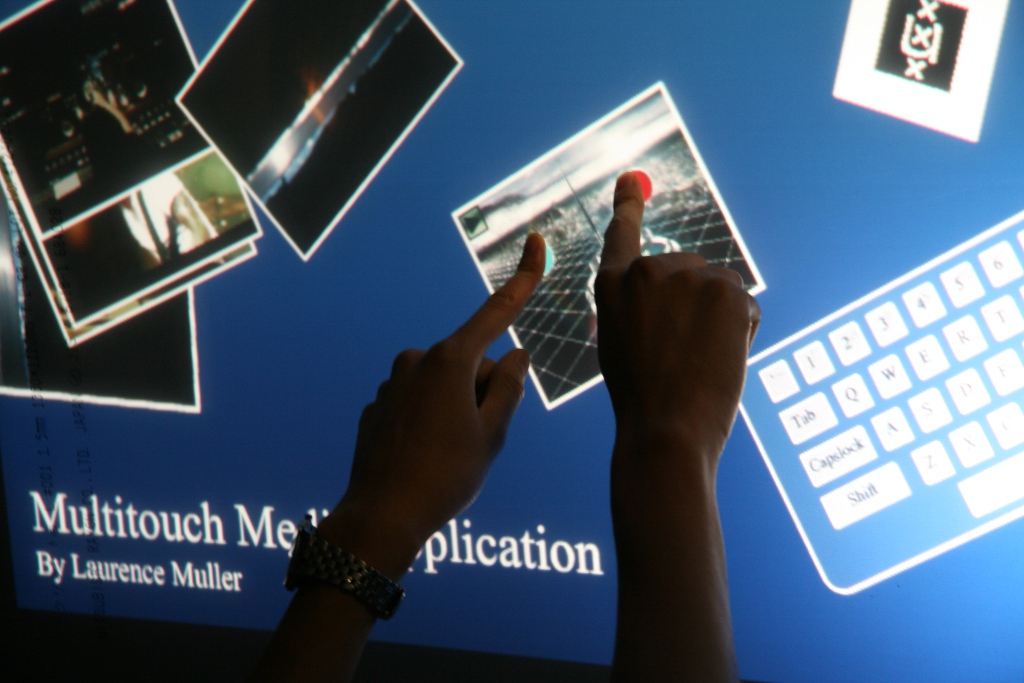
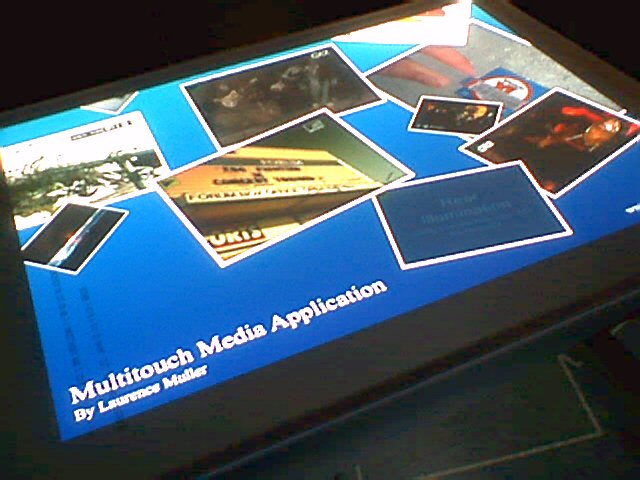
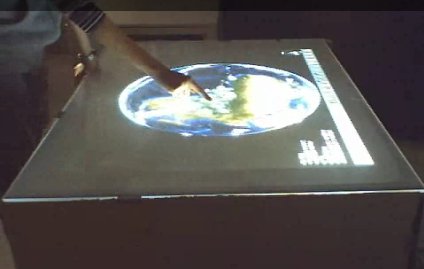
In this weeks episode Erwin visits SOCO Amsterdam. SOCO (Social Contemporary Center for the Arts) is a new exhibition/project space in Amsterdam. Peter Distol and Ralph Das are giving a demonstration of the table we have build together at the SOCO. The table uses front illumination and touchlib for touch detection and processing.

A part of the episode can be viewed here (it is in Dutch):
(Either JavaScript is not active or you are using an old version of Adobe Flash Player. Please install the newest Flash Player.)

The whole episode can be viewed here:
Uitzending gemist

The applications which have been demonstrated:
- Smoke (basic demo from touchlib)
- Newswell (Ralph Das)
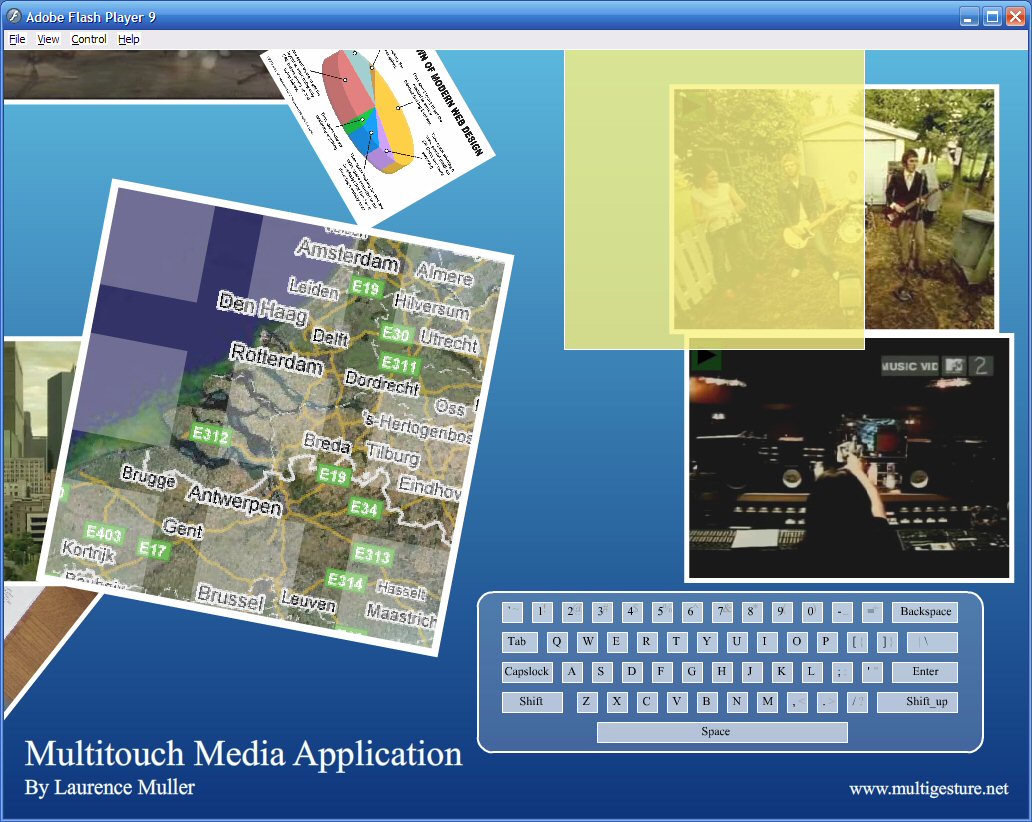
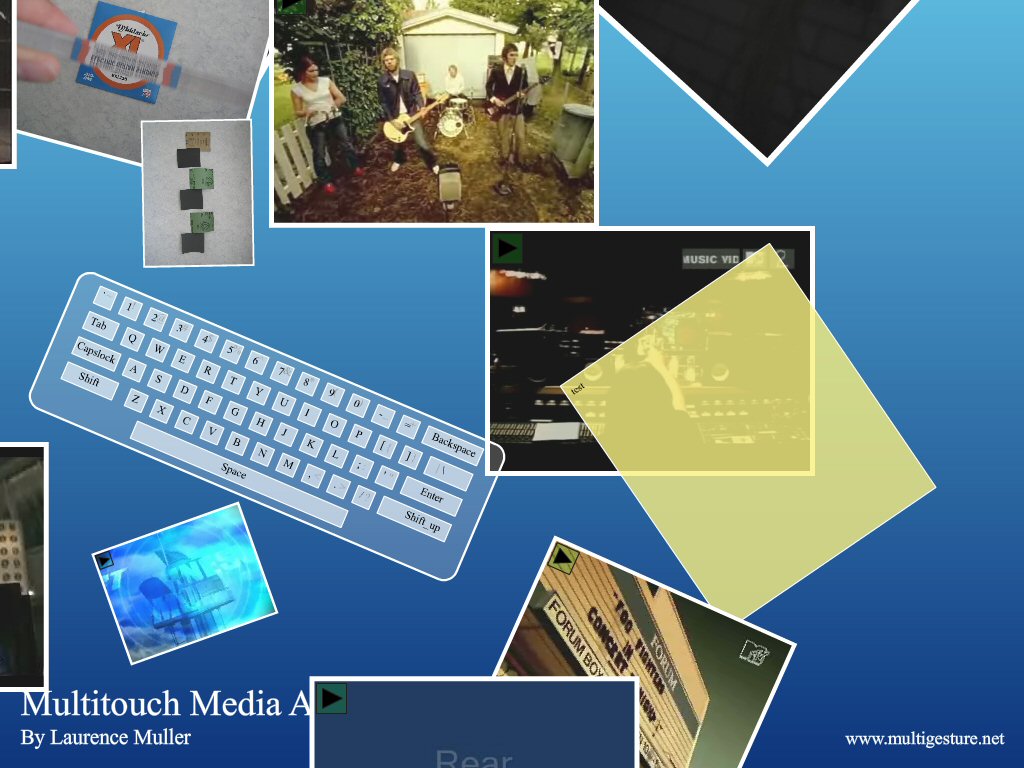
- Multitouch Media Application (showing Jimi Hendrix!) (Laurence Muller)

Currently there are two multi-touch tables available to the general public.

Multitouch Media Application Pro Update

The previous release of MMA Pro only worked with Adobe AIR beta1. A few users have contacted me about the troubles when installing MMA Pro v2a with Adobe AIR beta3 installed.

I have updated the application to make it compatible with Adobe AIR beta3 (Thank You Adobe! for renaming zillion functions).

The application requires Adobe AIR beta3 runtimes, so do not forget to install them first. Besides the fixes, there is nothing new.
Ofcourse this version also supports adding images on-fly. Just connect your digital camera (or memorycard) and all your images will be downloaded to the desktop. Your camera should be using the DCIM standard).

Don’t forget to read the readme_pro.txt !

Download:
Multitouch Media Application Pro v2b
Adobe AIRrequired

Nasa World Wind used with Multitouch

Multitouch 12 Comments »

The last 2 days I’ve been working on a new application (or actually a plugin) which controls Nasa World Wind.

This is the result :)
(Either JavaScript is not active or you are using an old version of Adobe Flash Player. Please install the newest Flash Player.)

* update: 23 november 2007 *
Using the plugin on my multitouch table (diffused illumination) at the University.
(Either JavaScript is not active or you are using an old version of Adobe Flash Player. Please install the newest Flash Player.)

Multitouch Puzzle & Beamer Latency Issues

Application, Multitouch 15 Comments »

Last weekend I worked on a new flash application which is called the ‘Multitouch Puzzle Game’. This game is a tile based puzzle game which let users solve the puzzle by mouse or solve the puzzle with multitouch (collaborative puzzle solving?). It features four levels of difficulty and contains four photos. You can find the download link below.

mtpuzzle1.jpg mtpuzzle2.jpg mtpuzzle3.jpg

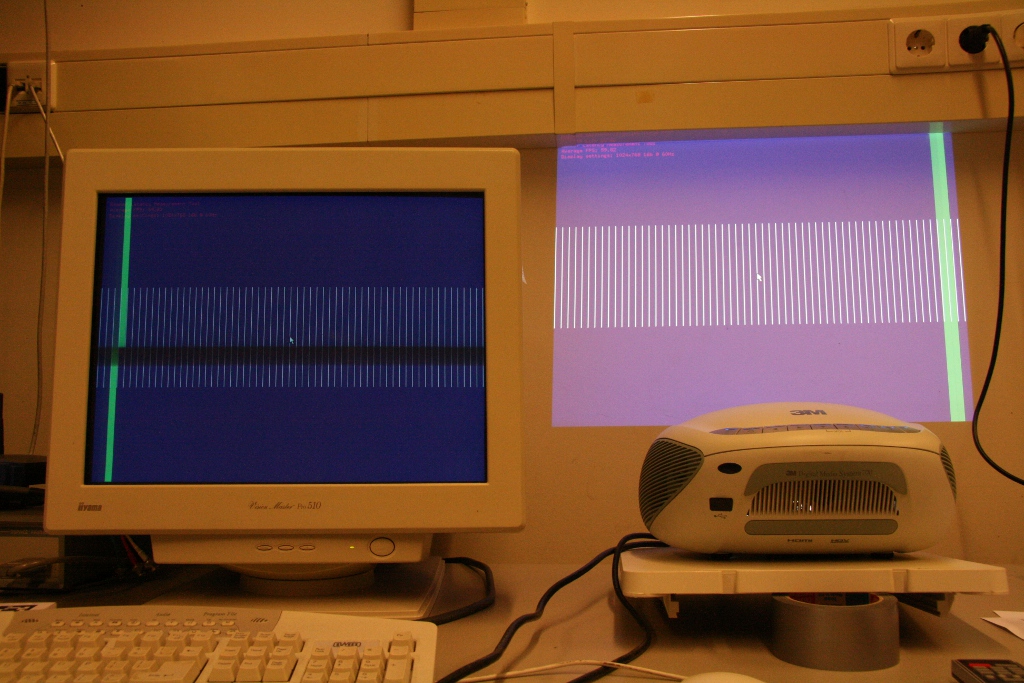
At the beginning of september I got hold of a short-throwing-distance beamer (digital projector) of 3M (type 3M DMS 700). The specifications looked pretty impressive, and we could finally get rid of the mirror… However during testing the hardware with our new firewire camera (less latency than the Philips spc900nc) we noticed that there was a (noticable) delay between touch and display on the table surface.
Comparing the input of the firewire camera on our CRT showed barely any latency, so perhaps the issue was on the beamer…
We decided to create a latency measurement tool based on this paper. The application moves a bar at a fixed speed along 60 positions in the screen. The screen refreshes 60 times per second (the beamer runs at 60Hz max). To measure the difference it is required to take a photo of the CRT display and the result of the beamer in one shot. The difference in position (of the bar) can be used to calculate the latency.

Our test results:
3M DMS 700 (1024 x 768) – about 100ms
Canon LV-S1E (800 x 600) – less than 16.67ms

So it seems like our simple Canon office beamer has barely any latency compared to our 3M short throw beamer. If this is an issue depends on the purpose of your multitouch table. If you are planning to use it on non time related task such as a simple photo application or the puzzle application the 3M latency might not be a problem at all. If you are planning to measure the performance of multi-touch table devices this might be something to think about.

Because I could not find much information about latency of beamers in general (as far as I know, no manufacturer specifies this in the manual) I would like to ask if multi-touch enthausiasts could measure there own beamers. Below at the download section I have included the measurement tool.
All you will need is a camera which is capable of setting the shutterspeed manual (it needs to be 1/60 sec). Please post your results in the comments sections. Don’t forget to include a nice photo and some details about the used beamer (brand, type, native resolution, throwingdistance, etc…).
Note: you will need to turn on vsync in your display controlpanel.

Hopefully we will be able to make a list of recommended beamers here :) .

*update today@23:40*
My multi-touch developer friend Pawel ‘solydzajs’ Solyga just submitted an update to the BMLT application.
New version (v0.2) with additional features:
- command-line parameters instead of static values in main.cpp (which
requires recompiling)
- print usage when wrong number of command-line parameters
- makefile for Mac OS X (tested, works nice)

Downloads:
Multitouch Puzzle Game

Beamer Latency Measurement Tool v0.2 – windows binaries
Beamer Latency Measurement Tool v0.2 Sourcecode – linux/mac os X users should build the tool manual, Makefiles are included

Discussion at nuigroup forums [link]

Two new howto’s added to the article section

Howto, Multitouch 2 Comments »

I’ve posted two Howto’s on compiling touchlib in Windows (XP and Vista) and Linux (Ubuntu).

Howto: Compile Touchlib in Windows
Howto: Compile Touchlib in Linux

Both compile instructions apply to subversion rev.73 of touchlib. If you followed the Howto’s and still have some trouble please post the problem in the comment section.

MMA Pro

Application, Multitouch 9 Comments »

I have made a special version of MMA which uses the Adobe Integrated Runtime (AIR) technology.

It now supports adding images on-fly. Just connect your digital camera by using your usb transfer cable (or if you have a memorycard reader that would be even better) and all your images will be downloaded to the multitouch desktop. Your camera should be using the DCIM standard).

Since the Pro version is using Adobe AIR it is no longer needed to perform a special trick to get the filelists of the videos and images. Please read the readme.txt for more information.

To run the application it is required to download the runtime enviroment, at this moment only versions for Windows and MacOS computers are available. A Linux version should be available next year.

Download:
Multitouch Media Application Pro v2a
Adobe AIRrequired

MMA update

Multitouch 1 Comment »

Yesterday I looked into (ab)using google maps to use with the MMA.

Because I did not felt like implementing an entire tile engine myself I looked around on Google and found this actionscript project: Google Maps API opensource. However this looked kinda complex to me so I started to look for an alternative.

While chatting in #nuigroup, c.moore told me that he was trying to create something like that as well. He recommended too look into ModestMaps.

Unfortunately it was not just a matter of including a few class and adding it the to the stage. Besides adding google maps, controlling google maps would be a problem too. As you probably know it is possible to scale and rotate the desktop with 2 fingertips, but this is also true for the border of Google maps and it would also be true for the Google maps layer itself. This would mean 3 layers of scaling and rotating.

Instead of trying to implement a smooth browsing Google maps object, I created a new actionscript class called GoogleMapsSimple instead.
This class basically allows you to browse the tiles in the way as Google has cut them (at different zoom levels). There are not that many sites which explain how you can collect satellite or vector images from Google maps, however the few I could find were pretty useful ( sources: #1 / #2 / #3 )

When building an application based on the Google maps data you should consider building a caching service as well. While I was testing out my GoogleMapsSimple class I got banned from the server, because it looked like an automated system requesting the same tiles over and over again. To solve this problem I made a caching service in PHP. Instead of connecting my flash application to Google it would now request a tile from my own server. The caching service would then check if it has a local copy available, if it has one it sends the local copy, otherwise it would randomly select one of the four Google maps servers and request the tile.

Below you find two images of the GoogleMapsSimple objects. The interaction modes on these objects are pretty primitive. The corners allow you to zoom in according the way Google has cut the tiles. The center button allows you to zoom out and the other buttons allow you to move north, south, east and west.

google_maps4.jpg google_maps3.jpg

Any release?
Uhm no, because the caching service sometimes fails in acquiring the tile (even after a few retries) I am not releasing the new MMA yet. But don’t worry it will be here soon enough ;)

Multitouch Media Application v2 Release

Application, Multitouch 12 Comments »

Last weekend I code a keyboard in actionscript and added it to the Multitouch Media Application. At this moment you will only be able to type text into the yellow square. Due some bug in touchlib/TUIO the shift button won’t be released when you release the shift button physically. Use the shift_up button to ‘release’.

onscreenkeyboard3.jpg

- Have fun with thisone!

*update 18-09-2007*
Yesterdays release had some bugs on rotation (only the onscreenkeyboard and the notepad), v2a solves this issue. v2a now allows to rotate and scale the entire surface aswell. Usage: get v2 and put the v2a version in the same directory. You might want to edit the *.bat files to the filenames of v2a.

Download:
Multitouch Media Application v2
Multitouch Media Application v2a – *update*

To install v2a:
Download v2 and unpack it to a directory. Download v2a and place the binaries in the directory of v2.

Multitouch Media Application Released!

Application, Multitouch 10 Comments »

Since the start of my project, I wanted to do a multi-touch media application which could be used for organizing photos and videos. I started my first attempts with using the languages C++ and OpenGL. However this was more difficult and more time consuming than I hoped for.

Fortunately Whitenoise already had created a basic photo organizer in Flash. The only problem was that it was using images from the popular photo site Flickr. Because I prefer to keep the content local (so I can moderate the content being displayed), I first modified the actionscript files of the FlickPhoto application to read local data.

Surprisingly it was not difficult to extend the project and I implemented a few extra classes to get the videoplayer working. A few examples images can be found below. Because this application is running in Flash you should use osc.exe and the FLOsc proxy. Of course you can use your own images and video with this application. However video files need to be converted to FLV. Please consult the readme.txt of the zip file package for more information.

- Enjoy!

Image1.jpg Image2.jpg Image4.jpg

Download:
Multitouch Media Application v0.1

* update 14 sept. 2007 *
My new lens arrived today so I could finally test my table (DI)!

Photos:

l1.jpg l2.jpg l3.jpg

Youtube movie:
(Either JavaScript is not active or you are using an old version of Adobe Flash Player. Please install the newest Flash Player.)

Touch Tracer v0.2.1 release

Application, Multitouch No Comments »

Not much new, just some minor bug fixes, improvements and compatibility fixes for the latest touchlib (rev. 61).

Download:
I’ve included a Windows binary and the source code of touch tracer for Linux users.By using the included Makefile you should be able to get it up running in no time.

Touch Tracer v0.2.1 Binary
Touch Tracer v0.2.1 Source code

Optional downloads
msvcr80.dll and msvcp80
- Required if no vs2k5 runtime dlls are installed
Visual Studio 2005 SP1 Redist. Package
- Entire package if the one above fails

Rear illumination and surface computing

Multitouch 1 Comment »

Last week Microsoft presented their implementation of a multi-touch screen. They decided to create it in the shape of a coffee table.

Examples of applications can be found in the following video:
(Either JavaScript is not active or you are using an old version of Adobe Flash Player. Please install the newest Flash Player.)

More movies are available on the official page of MS Surface.

Interesting part of this technology is the way of illuminating the screen and capturing fingertips or objects. Instead of doing it with FTIR technology MS approach uses 4 IR camera’s, a IR illuminator, a diffuser and obviously a projector. Inside the table the IR illuminator will shine on the diffuser and screen. When touching occurs or when objects are placed on the table, the IR light will reflect into one of the 4 camera’s. Using software processing techniques the table is now able to process multi-touch input.

After seeing the video’s of Microsoft I and some people of the Scientific Visualization and Virtual Reality group figured that we could try it out on our current FTIR setup.
By disabling the IR LED’s on the sides of the screen and illuminating the screen with an external IR illuminator we managed to get it working. However the results where a bit disappointing, the contrast was not high enough.

Today I had a small chat with David Wallin, the author of touchlib. I told him about the poor results I had with the current touchlib and setup, even with the version which he has used for what he calls diffused illumination.

Fortunately he had just submitted a new revision (40) to subversion, which contained improved filters. By fiddling a bit with the settings it was now possible to track blobs of the video capture from rear illumination.

Rear illumination experiment:
(Either JavaScript is not active or you are using an old version of Adobe Flash Player. Please install the newest Flash Player.)

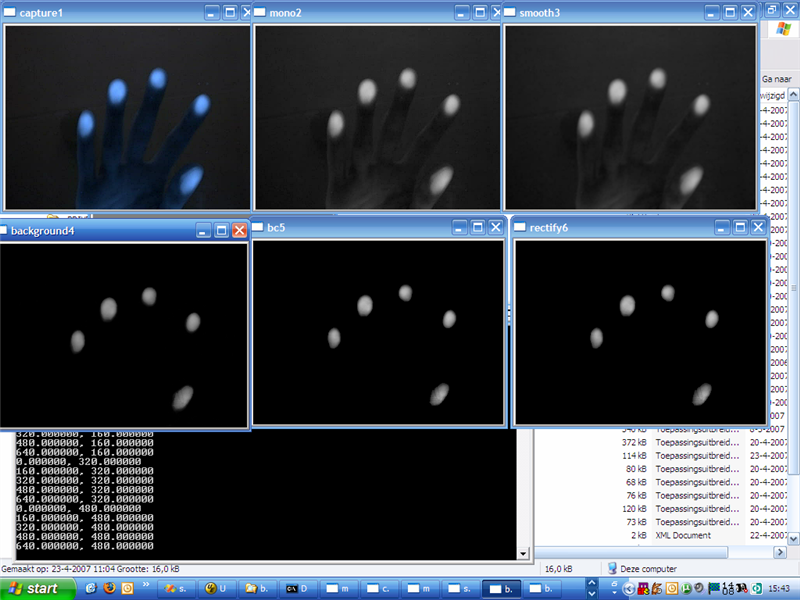
An image of the used the filters:
ri1.jpg

The image shows the following windows:
1. Capture1
This is the video input window (in this case recorded video input).

2. Mono2
The first filter turns the source image into a greyscale image.

3. Background4
This filter substracts the background from the current scene. Now only the interesting parts (fingertips) should be visible.

4. Scaler1
This filter will amplify the output of Background4 a bit.

5. Highpass
Only bright spots will be given to its output channel.

6. Scaler2
Again, amplify the output of the previous filter.

7. Rectify6
True black and white, as preperation for blob detection in touchlib core.

Another interesting feature will be fiducial detection which will be added (soon) to the touchlib library. This would make it possible to either use markers to manipulate your desktop or even objects/devices.

* update (11-06-2007) *
Two examples objects (a cellular phone and a coffee cup) placed on the surface while using rear illumination:
Image8 (Medium).jpg Image11 (Medium).jpg