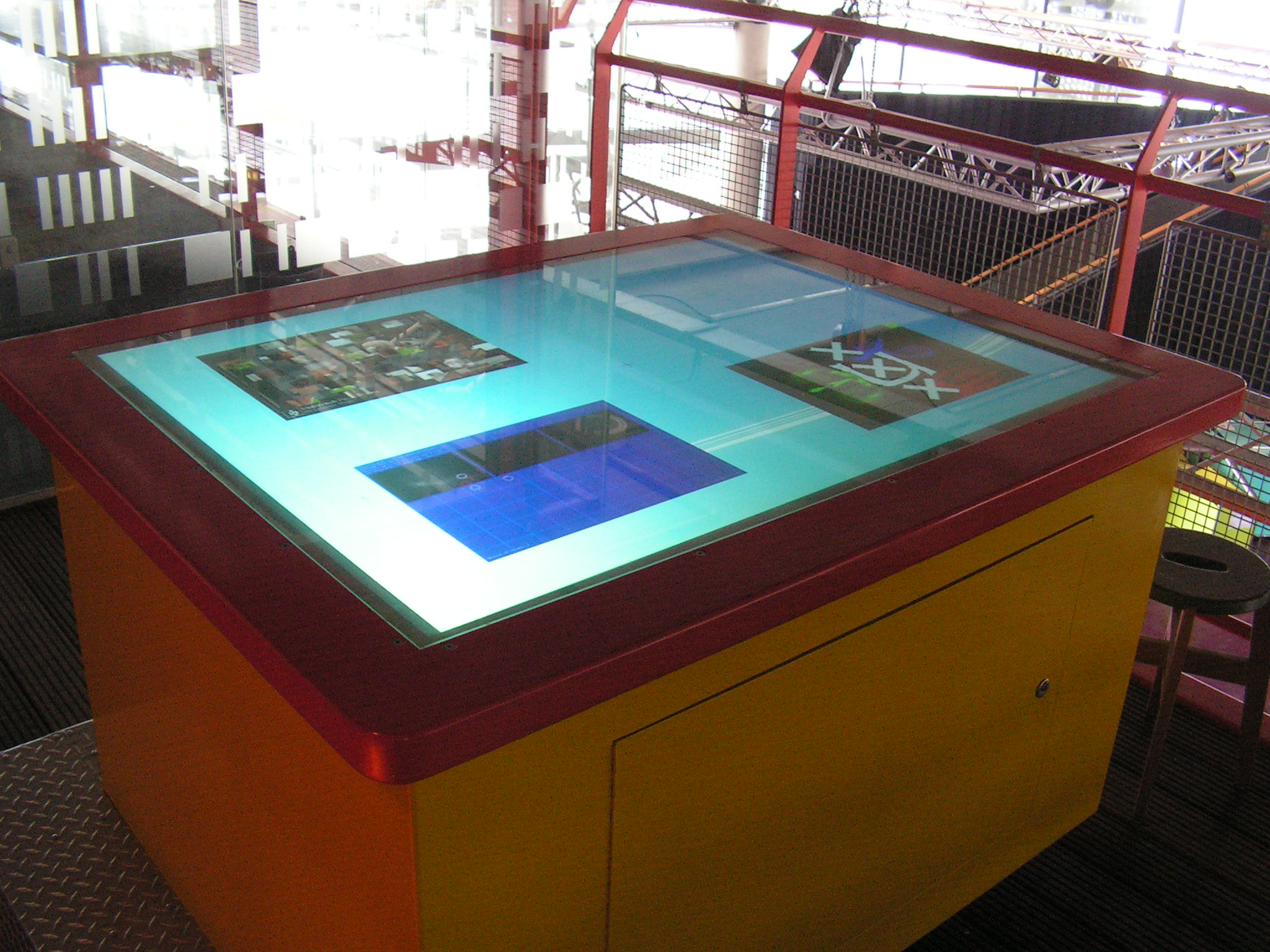
Interactive Networks at SC08 (part two)

Multitouch No Comments »

November last year we presented the Interactive Networks concept at Supercomputing 2008. Recently I got hold of more photo and video content.

Photos and videos

In my previous post on Interactive Networks, I gave a brief explanation of the concept. My colleague Rudolf Strijkers (Project lead) created a page with pictures and videos from the demo we presented. This page also includes a video of Rudolf explaining the Interactive Network concept to Gordon Cook. Only the video with Gordon Cook is in English, but I guess that most of the videos are self explanatory. The videos and photos be found here: Supercomputing 2008 media

COOK Report

After Gordon Cook was given a brief introduction to the Interactive Networks concept, he invited Rudolf Strijkers and Cees de laat for a more in-depth interview. The article (abstract) can be found here: ICT and E-Science as an Innovation Platform in The Netherlands “A National Research and Innovation NetworkWhat Can the US Learn from Dutch Experience?”

Posters

tno-sc08-interactivenetworks uva-sc08-multi-touch_table

More posters from our booth can be found here: clickme!

Pictures of multitouch systems presented at SC 2008

RENCI Vis Group Multi-Touch

The guys from Renaissance Computing Institute were kind enough to show us their table. We could even take a peek under the black curtain that contained all the *magic*.

IMG_0021.JPG IMG_0022.JPG IMG_0023.JPG IMG_0024.JPG
IMG_0038.JPG IMG_0045.JPG IMG_0046.JPG IMG_0047.JPG

More photo and video content can be found on their blog.

EVL | Multi-Touch LCD Table Prototype

EVL showing a rain simulator on their LCD based multitouch table.

IMG_0030.JPG IMG_0032.JPG
Checkout the video of the table here. More pictures of the setup can be found here.

Enthought

A stable, portable and responsive multitouch system using a python backend.

IMG_0026.JPG IMG_0027.JPG IMG_0028.JPG IMG_0029.JPG

“Me painting like a pro, looks better than Picasso … right?”

MS Surface

This doesn’t really needs an explanation…

IMG_0049.JPG IMG_0050.JPG IMG_0051.JPG IMG_0052.JPG

“Dear Santa, please send me a MS coffee table this year.”

Read the rest of this entry »

fIRC Android Chat Client released!

Android 21 Comments »

A few months ago Google and T-mobile introduced the T-mobile G1 (aka googlephone). What makes this smartphone so special, is the fact that the operating system (Android) is open source. While most end-users wouldn’t care about this, developers have more freedom in improving or fixing parts of the OS.

As usual we Europeans get all the ‘new’ electronic devices 6 months later than the US or Asia. Often these devices cost more as well (for example iPhones, PSPs, NDS) because someone decided that 1 USD == 1 EUR. Luckily I was able to get a T-mobile G1 just before I left the states :) .

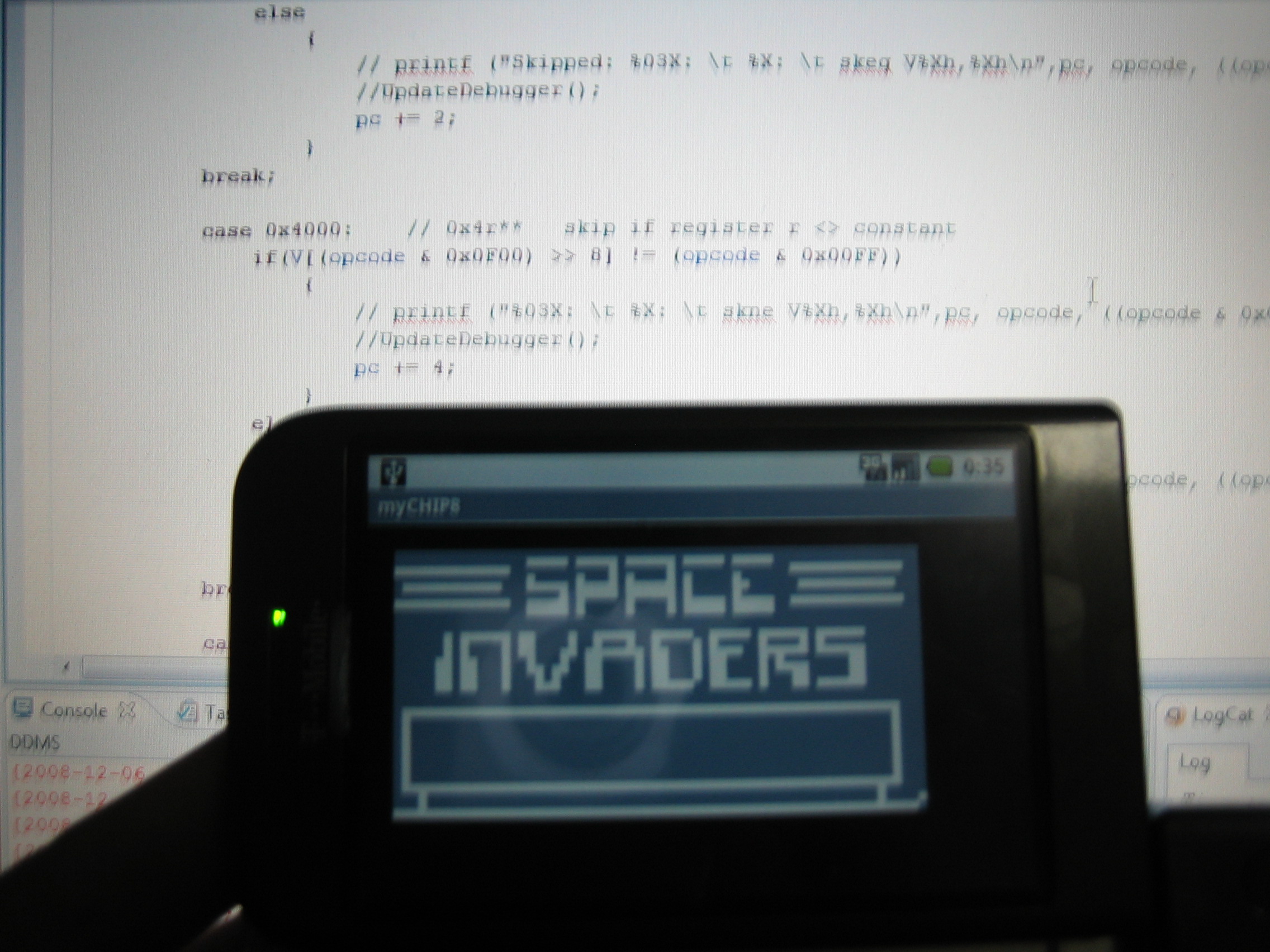
Today I released my first application on the android marketplace (something similar like the apple store). It is an IRC chat client called fIRC:

fIRC chat is a free IRC client.

Current features:

  • Connect to irc servers such as Freenode and EFnet
  • Supports only one channel for now
  • Only landscape mode for now…

Available user commands:

  • To change your current nickname: /nick changeme
  • To request a user list: /userlist

Todo:

  • Server message output
  • Multichannel support
  • PM support
  • A better way to visualize the userlist (another listview?)
  • Nicer GUI for the chat area

A few screenshots:

Suggestions, bug reports and comments can be posted here. The project page can be found here.

Interactive Networks at SC08

Multitouch No Comments »

After my graduation in July, I was asked to join the Scientific Visualization and Virtual Reality group at the University of Amsterdam. The project that I would be working on was network visualization on a multitouch table that was going to be presented at Supercomputing 2008 in Austin, TX.

Because our old table (which we used for the multitouch performance experiments) was moved to the NEMO Science Center in Amsterdam, we had to develop a new multitouch system from scratch. Based on our experiences of building the previous multitouch table, we carefully choose our new hardware components (such as the camera and digital projector).

Supercomputing 2008


Supercomputing is an international conference for High Performance Computing, Networking, Storage and Analysis (SC08, November 15-21, 2008 Austin Convention Center). In collaboration with the Systems- and Networking Engineering Group of the University of Amsterdam we developed software and hardware for our project called Interactive Networks.

Our project consists out of several parts:

  • The multitouch table; used as an input/interaction device (Rear illumination)
  • Multiple (linux) computers using custom kernal software called streamline
  • A controller that processes events from the multitouch table to the computer nodes using streamline (and vice versa).
  • The Interactive Network Visualizer (the visualization and manipulation software on the MT table)

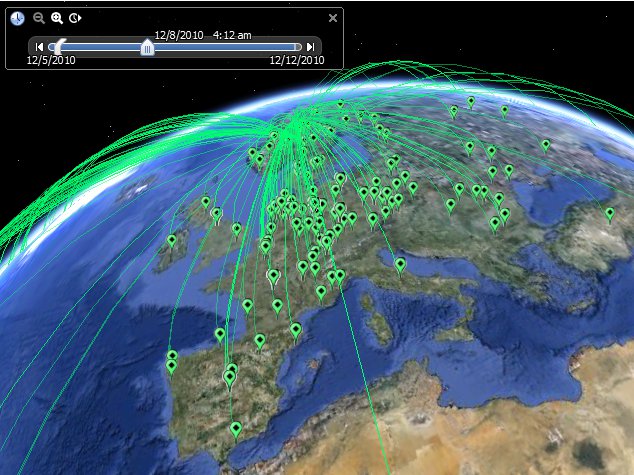
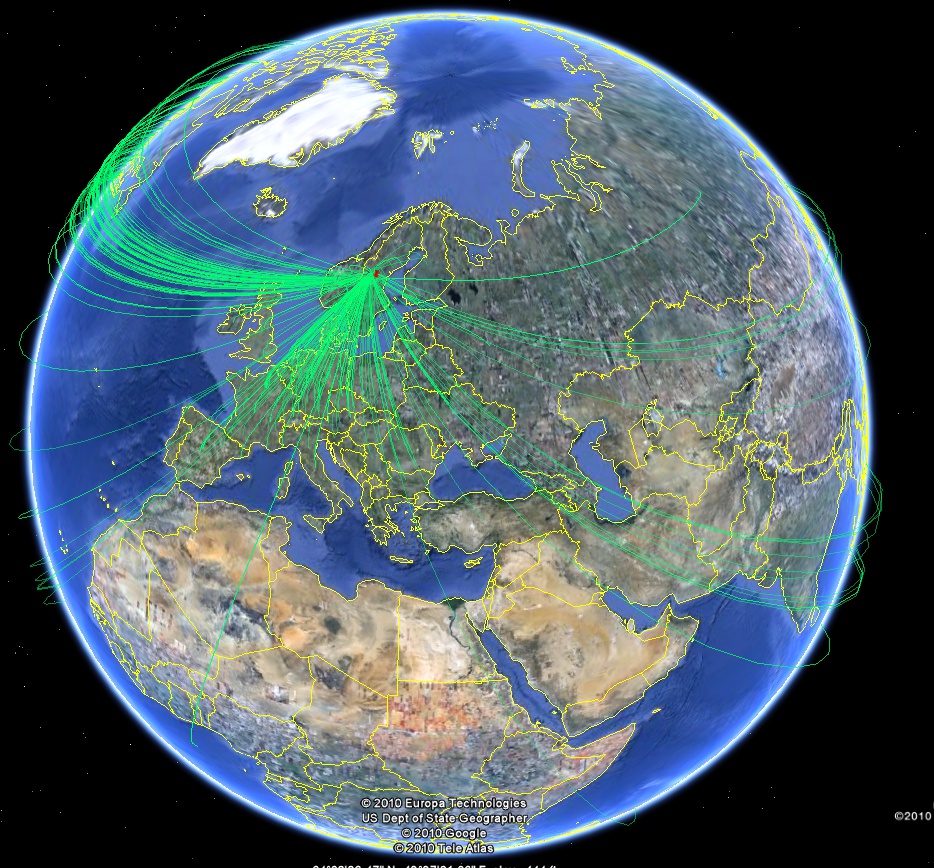
The project focuses on stream manipulation in a token based network. In Amsterdam we created a physical network of computer nodes (16+). Each of these computer nodes has the streamline module installed. Depending on the task of the node, a node can be the following:

  • A producer (A node that is capable of delivering a video/content stream)
  • A router (A node that is able to route packages)
  • A consumer (A node that is capable of receiving and displaying the stream content)

In the current setup we have 4 producers (each with different video content), 8 routers and 4 consumers (Mac mini’s connected to HD screens with VLC installed to display UDP video streams).

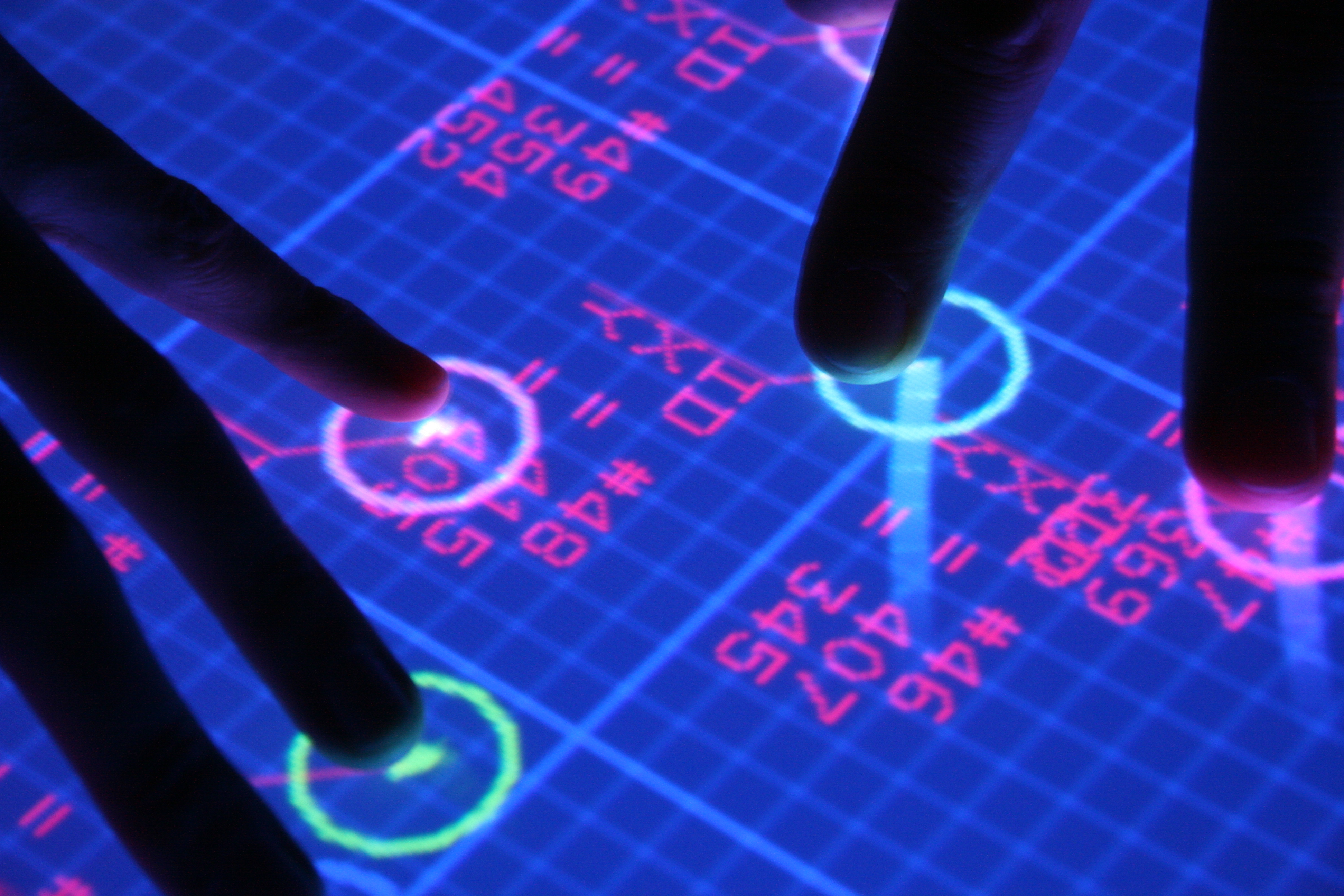
In order to stream video content from the producer to a consumer node, users can simply switch to the ‘route planner’ mode and draw a line from node to node. When the user completes a path (stream), the result is submitted to the controller. The controller checks if the nodes are connected and instructs the nodes how the incoming packages should be handled. Normally it is difficult to distinguish different data streams from each other. However, in our system we added a ‘token’ (color) to each stream. This allows us to distinguish a stream on a particular node and transmit it to its destination. Our system has support for multicasting and streams containing cycles (unique!).

Because streams are tokenized we can also manipulate particular streams on the node itself. By double tapping a node, we can view the internals of this particular node. All streams that passes through this node can be viewed and modified. For this particular demo we added an option to add a sampler. The sampler allows the user to set a value of how many packages should be dropped.

By using standard Linux tools we are also able to measure the network throughput on a node, the load on a node, the used bandwidth between two nodes and the jitter on a connection. These values are visualized in our software.

Videocontent

For our demo we stream high definition videos from The Netherlands to the USA over an 4 GBit internet connection. We are using movies that were made in Blender, namely: Big Buck Bunny and the Elephants dream.

Live videofeed

On our dutch stand we have three live camera streams showing different projects, be sure to check those out: webcam overview

Other multitouch projects at SC08:

We certainly aren’t the only ones with a multitouch table at SC08, so far I’ve seen the following:

  1. RENCI Vis Group Multi-Touch Blog
    Developing multitouch hardware and applications for research and experimentation.
  2. EVL | Multi-Touch LCD Table Prototype (Tactile)
    A high resolution multitouch device created from a LCD panel Video!
  3. Enthought (Scientific Computing Solutions)
    A fast and responsive multitouch solution using a python backend. They are located at the stand of Western Scientific
  4. MS Surface (on the HPC stand)

Photos

Photos of our setup can be found after the break!

Read the rest of this entry »

IEEE Tabletops and Interactive Surfaces 2008

Multitouch 1 Comment »

Tommorow the 3rd edition of IEEE Tabletop will take place in Amsterdam.

On the first day of the conference there will be a bootcamp on building your own multitouch surfaces.

At the bootcamp the ‘experts’ will share their knowledge and experiences on building multitouch surfaces. The following topics will be covered:

  • Infrared Illumination
  • Silicone & Projection surfaces
  • Cameras, Optics, Filters & Projectors
  • Software
  • Hardware Integration
  • Community & Network

I will be at one of the stands presenting the software part together with Ulrich von Zadow.

Hope to see you soon,
- Laurence

* Update *
We now have a website running with the bootcamp information.
- Project page: http://ifgi.uni-muenster.de/multi-touch-bootcamp
- Some photos of the conference: click me!

* Update 2 * (22/03/2009)
- IEEE tabletop bootcamp page update.
- Multi-Touch Surfaces: A Technical Guide (mirror)

Thesis work

Multitouch 2 Comments »

For those who are interested, I have uploaded my master’s thesis and final presentation.

1. Master’s thesis:
“Multi-touch displays: design, applications and performance evaluation” (1234)
Mirror: SCS - Master of Science theses
(1.4 mb)

2. Final presentation:
multitouch_presentation.pdf (1273)
(26.6 mb, includes embedded wmv videos)

3. Multitouch video:
multitouch-videomix1.wmv (829)
(76.3 mb, high quality wmv)

*update 17-09-2008*
4. Multitouch experiment videos:
10 multitouch experiment videos

I graduated!

Multitouch 10 Comments »

Multi-touch video puzzle game

Multitouch 4 Comments »

The same game I have showed here but this time played on the multi-touch table.

(Either JavaScript is not active or you are using an old version of Adobe Flash Player. Please install the newest Flash Player.)

p.s. Sorry for the ending :P it wasn’t me!

tDesk released!

Application, Multitouch 10 Comments »

Last year I demonstrated how Windows XP could be (ab)used with multi-touch interaction.

A few weeks ago I made some adjustments to make it compatible with the latest touchlib and this is the result:
(Either JavaScript is not active or you are using an old version of Adobe Flash Player. Please install the newest Flash Player.)

tDesk v2 allows the user to move and resize multiple windows at the same time by using multi-touch gestures. Because Windows XP/Vista was not designed for multi-touch there are some issues with this type of input. In multi-touch mode it is not possible to do a mouse click, therefor I added an option to switch between multi-touch and mouse simulation mode.

Please keep in mind that when the mouse simulation mode is activated only single touch input is allowed. Do not use this software on unstable multi-touch systems.

Finally, use this software at own risk :) .

Install instructions are in: readme.txt !

Downloads:
tDesk v2 (1016) - 13.32 KB
Touchlib (speedfix) (1370) - 785.69 KB - rev393

Any tips or problems can be posted in the comment section.

* update *
In some cases tDesk does not seem to work properly with touchlib. Try downloading rev393 and overwrite your current touchlib dll files.

Touchlib Speedfix and MMA Pro update

Application, Multitouch 5 Comments »

Touchlib

A few weeks ago I was busy tweaking the Touchlib sourcecode and noticed a bug/feature in the code which caused the image processing pipeline to stall for 32 milliseconds. This might not sound like a big issue however on our system it caused the system to be less responsive.

I have compiled a version without this ’sleep’ function. This version might not be safe for single core cpu’s (I could not test it out myself, hopefully someone could check it out). Because the sleep function is removed, the videoplayback (using cvcapture + *.avi)  is not working properly.

Check out this version of touchlib and report any problems in the comment section :) !

Download:
Touchlib (speedfix) (1370) - 785.69 KB compiled libraries, revision 393 speedfix (21 apr 2008)

MMA Pro v2d

Changelist:
- Added smoothing, scaled images should look a lot better
- Added an View Reset and Exit button
- Increased the size of the canvas
- Compatible with Adobe Air v1.0

Install instructions are in: readme_pro.txt !

Download:
Multitouch Media Application Pro v2d (2287) - 2.22 MB
Adobe AIR - required

Example video showing how to load photos dynamicly into MMA Pro
(Either JavaScript is not active or you are using an old version of Adobe Flash Player. Please install the newest Flash Player.)

Wong!

Wong is a game based on pong which uses the multitouch input to create dynamicly sized paddles.

A game of Wong on our multitouch table:
(Either JavaScript is not active or you are using an old version of Adobe Flash Player. Please install the newest Flash Player.)

The game is made by Seth Sandler and is part of the audiotouch application suite: http://code.google.com/p/audiotouch/

Real-Time Fluid Dynamics on a Multi-touch Table

Multitouch 1 Comment »

Smoke improved…

One of the demo applications which comes with Touchlib is Smoke. The technique which is used to create ’smoke’ is based on the algorithm presented by Jos Stam in his paper Real-Time Fluid Dynamics for Games.

Often multi-touch enthusiast use this application to demonstrate their multi-touch displays.

Some time ago I modified the Smoke application which allows users to draw objects into the scene. The application is extended to have a new drawing mode which is allow (multiple) users to draw objects/boundaries into the scene. This can be done while the simulation is running. If sources are placed in the scene this means you can view in real-time how flow will behave on a particular shaped object.

In the demonstration video I have added 3 different coloured sources and the logo of my university is used as an object to perform the simulation on.

(Either JavaScript is not active or you are using an old version of Adobe Flash Player. Please install the newest Flash Player.)

A higher quality wmv can be downloaded here:
RTFD.wmv

Multi-touch video puzzle game

I had this idea for a while and even the basic puzzle game framework (using photo’s) was already finished. After messing around with FFmpeg I managed to export the video frames from an mpeg2 (.vob) file and convert them to an OpenGL texture. The only problems left were the synchronization and the audio stream. Because FFmpeg is really horrible coded (you need special hacks to get it even to compile under windows), I never managed to get those working. For those who are interested, this site: dranger.com has helped me a lot.

After searching around for an alternative I decided to drop the cross platform support for this application and use MS DirectShow. Usually I do not like the DirectX due its ‘clean’ coding style. But after giving DirectShow a try I was surprised how easy it was to get a basic demo working which played a mpeg2 file without any problems. The audio and video streams where synchronized automatically.
With some help of a friend I merged the video player code into the puzzle application.

This is the result (recorded with Fraps):
(Either JavaScript is not active or you are using an old version of Adobe Flash Player. Please install the newest Flash Player.)

In the video I used the mouse as input device, but the application works with the multi-touch table as well.

WP Theme & Icons by N.Design Studio
Entries RSS Comments RSS Log in