
Notes
This is a tutorial on how to setup Cocos2d-x for Windows and Android development on Windows.
Windows
Building cocos2d for windows is pretty straight forward:
- Get the source from GitHub: github.com/cocos2d/cocos2d-x
- Use the provided solution files or run (recommended):
build-win32.bat - Binaries are placed in: “\Release.win32”
- More information can be found on the wiki
Android
Requirements
- Eclipse (with CDT plugin)
- Installed JDK (Java SE 6 Update 26) – I recommend downloading the x86 version. Please note that Java SE 7 won’t work.
- Android SDK
- Installed ADT Plugin for Eclipse
- Android NDK
- Android NDK r6b Windows (Note: If r7 fails to compile Cocos2d-x, try using the previous NDK, version r6b)
Install MinGW/MSYS
Install MinGW and MSYS according to this tutorial:
How to install MinGW, MSYS and Eclipse on windows
(Don’t forget to install the ADT plugin as well)
No need to install cygwin 😉
Building Cocos2d-x (MSYS/NDK)
My file locations (unzip the SDK and NDK to these locations)
- NDK:
C:\Development\android-ndk-r6b - SDK:
C:\Development\android-sdk-windows - Source location (git):
D:\projects\Github\cocos2d-x
Set the NDK root and COCOS2DX root path
Open up these files:
- D:\projects\Github\cocos2d-x\HelloLua\android\build_native.sh
- D:\projects\Github\cocos2d-x\HelloWorld\android\build_native.sh
- D:\projects\Github\cocos2d-x\tests\test.android\build_native.sh
Change this:
ANDROID_NDK_ROOT=/cygdrive/e/android-ndk-r5
COCOS2DX_ROOT=/cygdrive/d/Work7/cocos2d-x
to:
ANDROID_NDK_ROOT=/c/Development/android-ndk-r6b
COCOS2DX_ROOT=/d/projects/Github/cocos2d-x
Run buildscripts
Open up Msys and use the following commands in the terminal to build the projects:
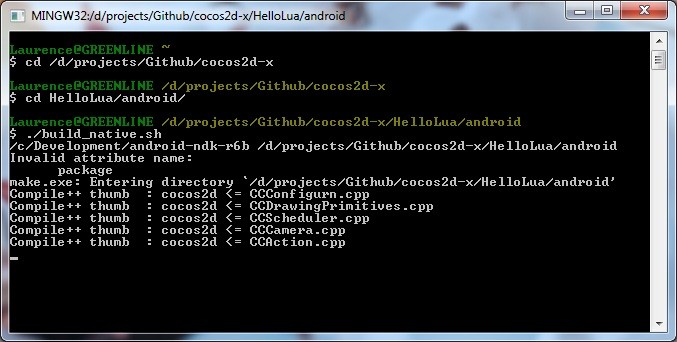
Build HelloLua project
cd /d/projects/Github/cocos2d-x/HelloLua/android/
./build_native.sh
Build HelloWorld project
cd /d/projects/Github/cocos2d-x/HelloWorld/android
./build_native.sh
Build tests project
cd /d/projects/Github/cocos2d-x/tests/test.android
./build_native.sh
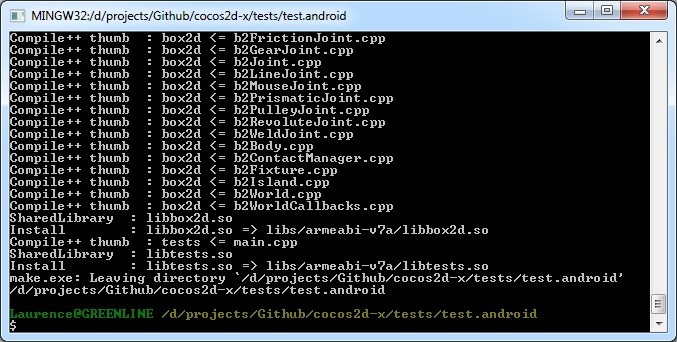
It might take a while to build the tests example. On completion you should see this:
Importing projects (Eclipse/SDK)
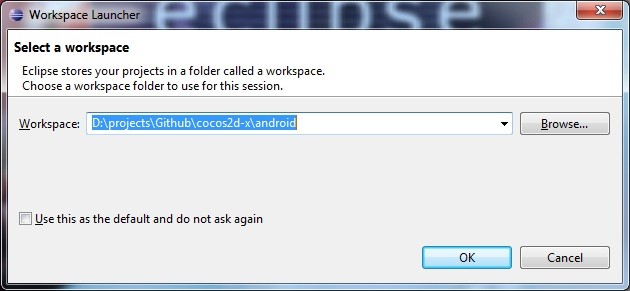
Open up eclipse
Create a new workspace at D:\projects\Github\cocos2d-x\android
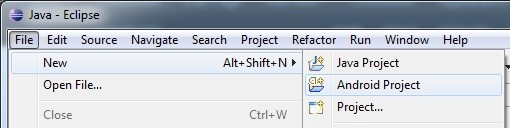
Create a new Android project
HelloWorld example
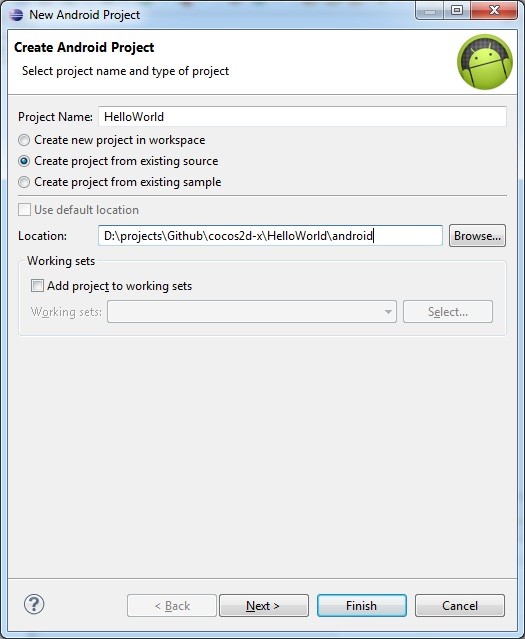
Create Android Project
- Set projectname to: HelloWorld
- Untick: default location
- Click: Create project from existing source
- Set location to: D:\projects\Github\cocos2d-x\HelloWorld\android
- Click next>
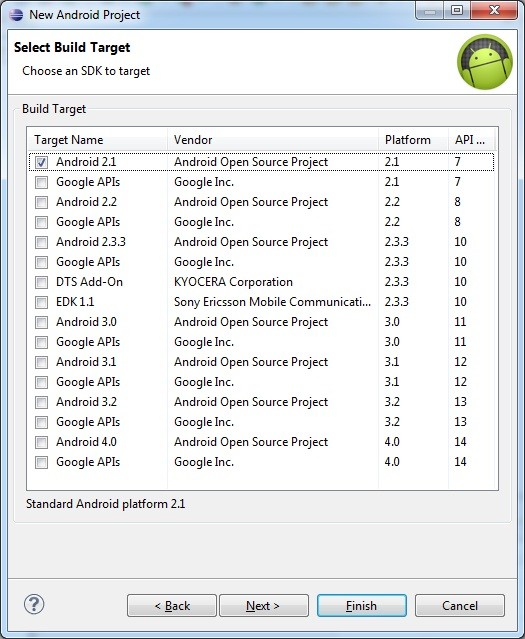
Select Build Target
- Set target to Android 2.1>
- Click next>
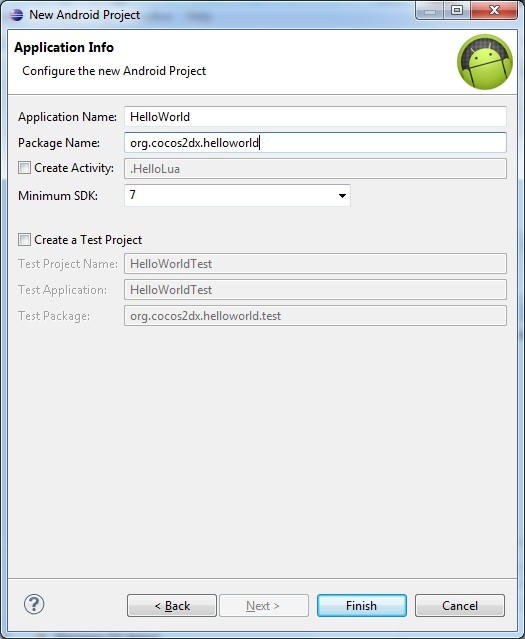
Application Info
- Set application: HelloWorld
- Set package name: org.cocos2dx.helloworld
- Click finish>
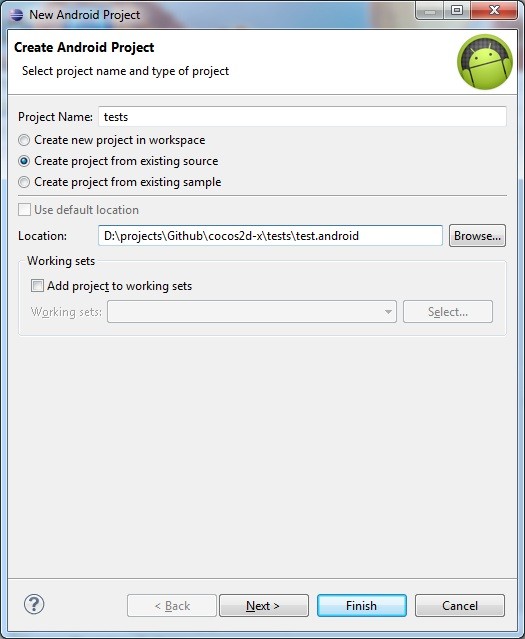
tests example
Create Android Project
- Set projectname to: tests
- Untick: default location
- Click: Create project from existing source
- Set location to: D:\projects\Github\cocos2d-x\tests\test.android
- Click next>
Select Build Target
- Set target to Android 2.1>
- Click next>
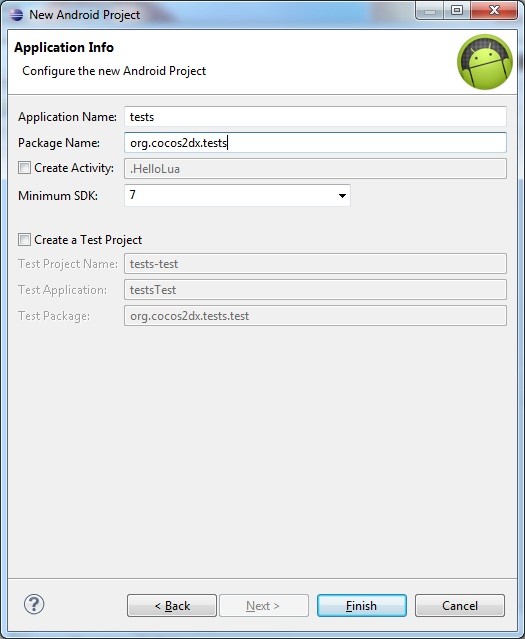
Application Info
- Set application: tests
- Set package name: org.cocos2dx.tests
- Click finish
HelloLua example
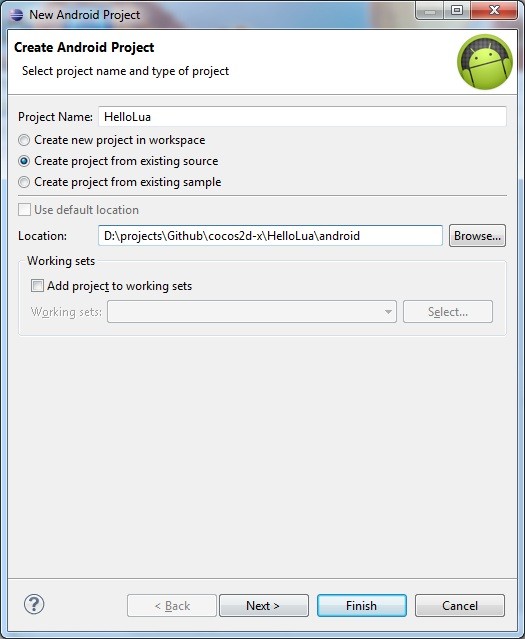
Create Android Project
- Set projectname to: HelloLua
- Untick: default location
- Click: Create project from existing source
- Set location to: D:\projects\Github\cocos2d-x\HelloLua\android
- Click next>
Select Build Target
- Set target to Android 2.1>
- Click next>
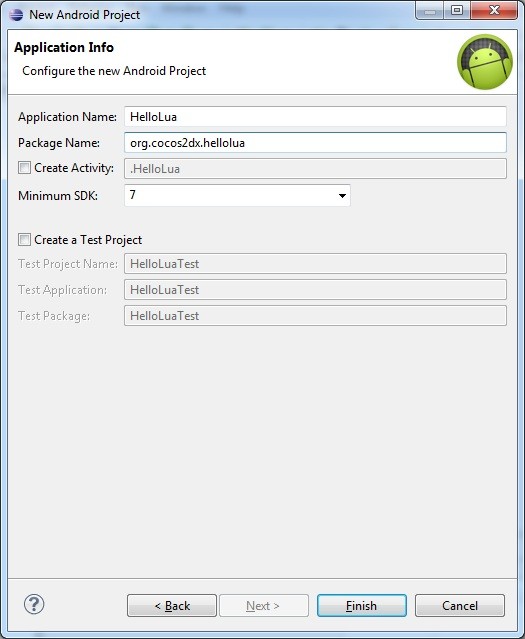
Application Info
- Set application: HelloLua
- Set package name: org.cocos2dx.hellolua
- Click finish
Fixing some java code
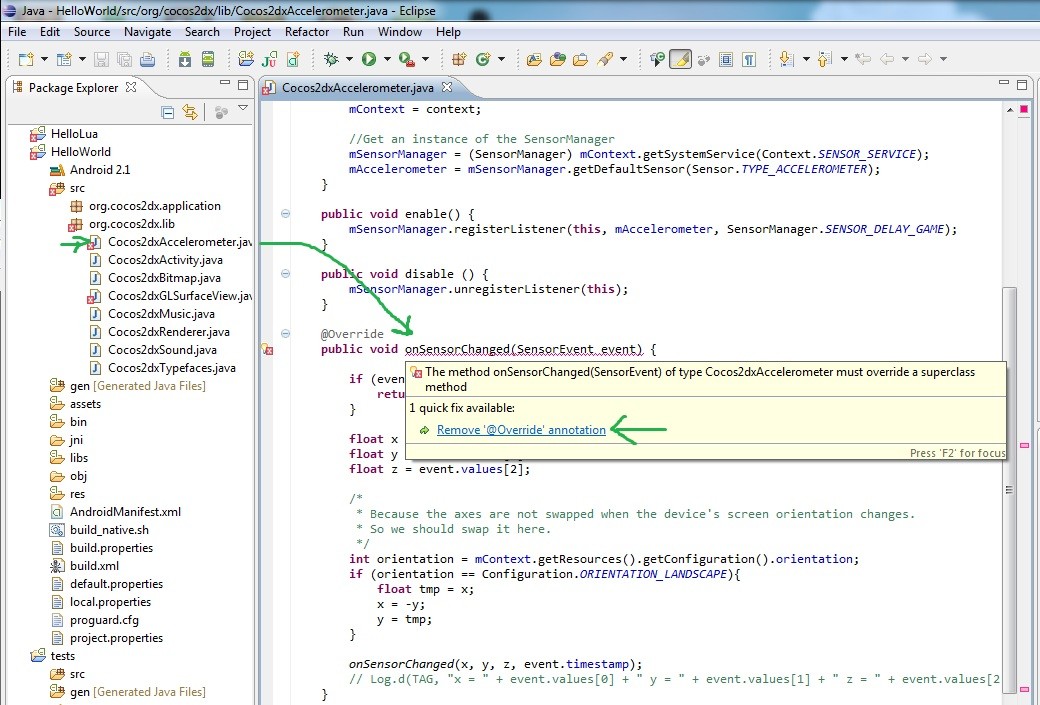
All projects should now be available in the package explorer. However, HelloLua and HelloWorld might show some red crosses. You will need to modify a few .java files. All you need to do is remove all lines with @Override.
Build APK and run
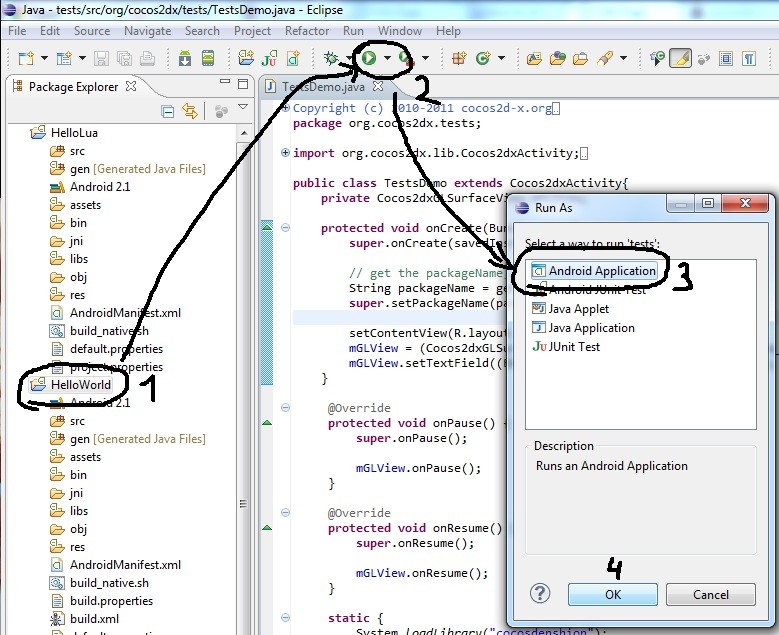
- Click on the project name in the package explorer (for example HelloWorld or tests).
- Click the green arrow
- Select Android Application
- Click OK
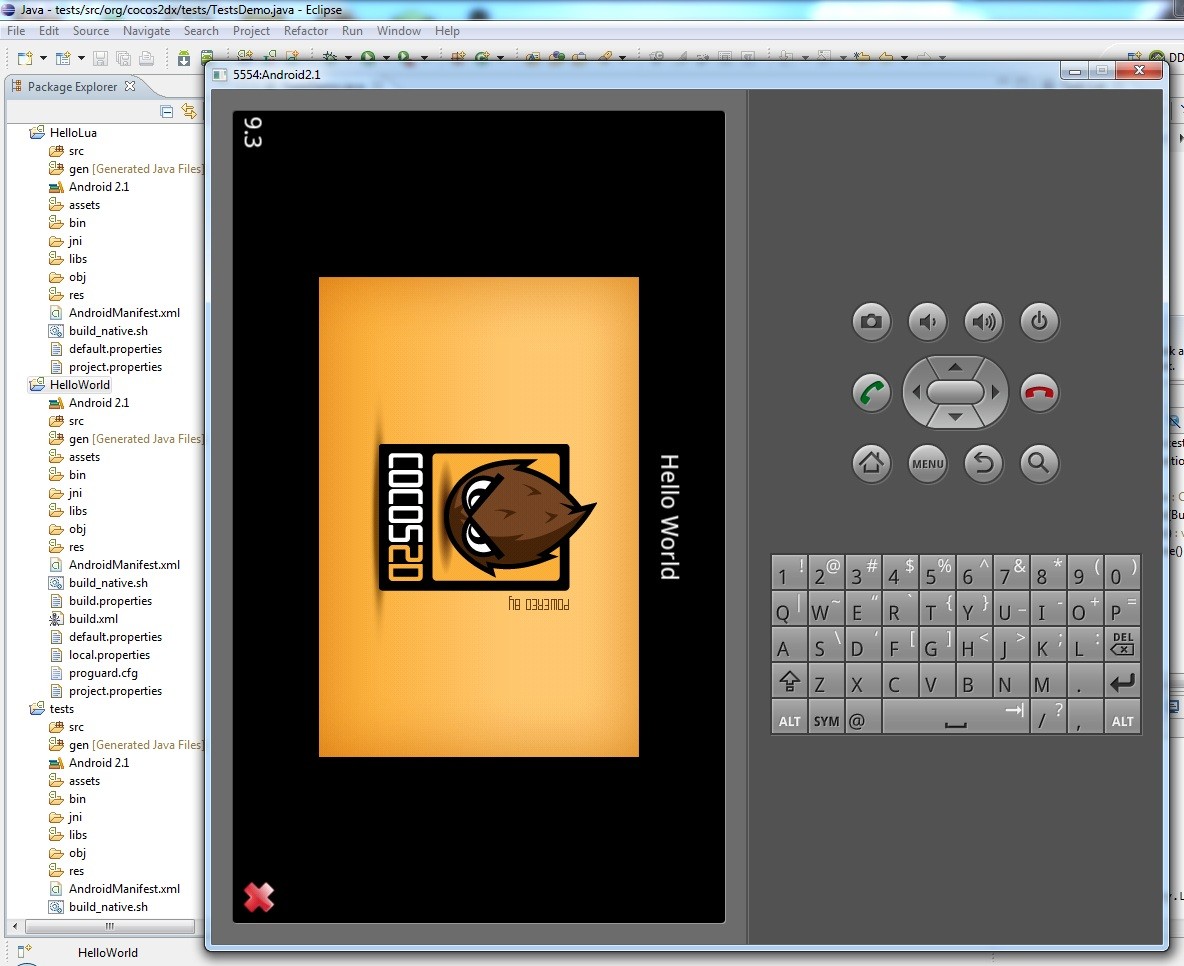
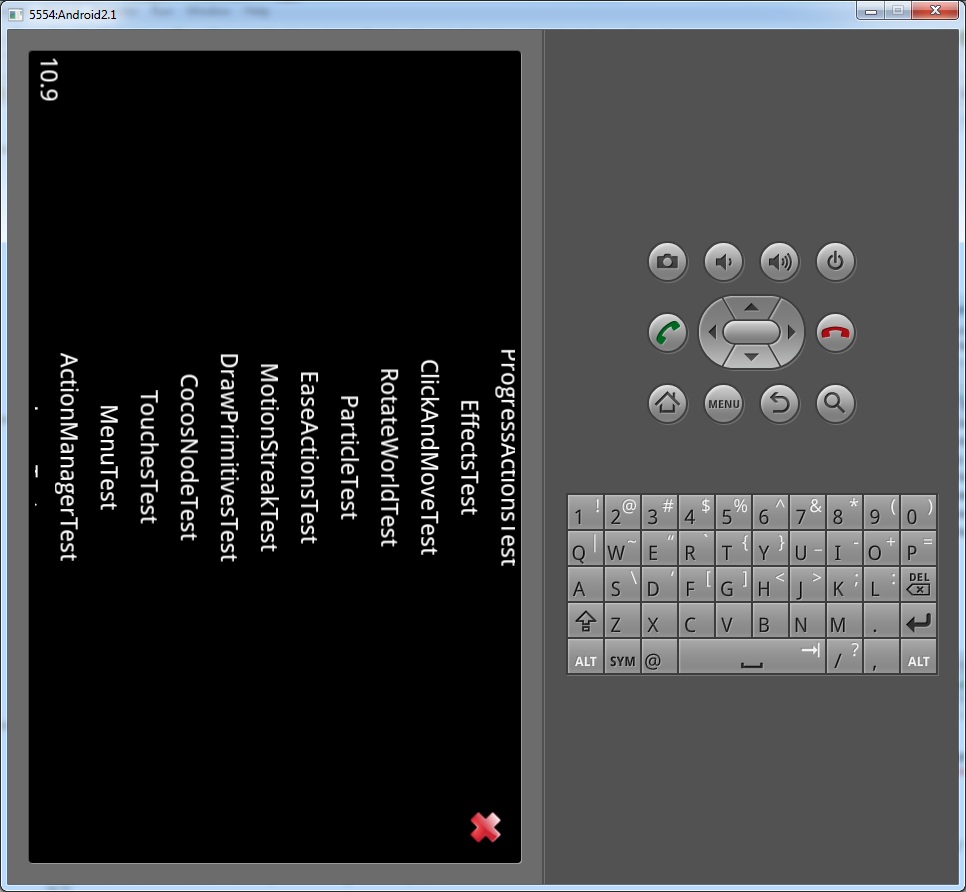
If your device is connected to your computer, eclipse will build the APK and install it on your phone/tablet. If no device is found, it will launch the emulator.
Emulator
Running Hello World
Running tests
30 responses
Im getting an error when I try to compile HelloLua.sh, HelloWorld.sh & test.android. mysys gives me an error on line 1 and line 2 with unexpected end of file. Followed the steps a few times to verify and everything look right. working in Windows 7. Thanks,
Hi Mike, I just tried the tutorial again and you’re right. Im getting the same errors when using the NDK r7. However, when using the previous NDK r6b it works just fine. I’ll see if I can figure out how to get it working under r7. For now I recommend just downloading http://dl.google.com/android/ndk/android-ndk-r6b-windows.zip
Help..How do I ‘Set the NDK root and COCOS2DX root path’? I set in Enviroment variables, but I think it is not correct.. Because it returns error when calling the build_native.sh using msys.. thanks..
Hi Andres, you don’t need to set those two values as Environment variables. You only need to modified the buildscripts (build_native.sh) and change the path in those files.
Hi Laurence, I cannot even open build_native.sh, do I need to install something?thanks.
Hi. I’ve wrote How to solve problems with build_native.sh and android-ndk-r7 on cocos2d-x. I hope it helps. Regards.
Thanks for posting the solution Marcio!
Hi, Can’t build the build_native.sh I keep getting “line 41: ./ndk-build: No such file or directory” Please advise. Thanks!
hi, I came across with these errors when building HelloLua on MinGW, using build_native.sh jni/../../Classes/../../lua/cocos2dx_support/CCLuaEngine.cpp: In member function ‘virtual int cocos2d::CCLuaEngine::executeFunctionByRefID(int, int)’: jni/../../Classes/../../lua/cocos2dx_support/CCLuaEngine.cpp:183: error: exception handling disabled, use -fexceptions to enable jni/../../Classes/../../lua/cocos2dx_support/CCLuaEngine.cpp:183: error: ‘…’ handler must be the last handler for its try block How should I explicitly add the -fexceptions flag? And if there some way to build native Win32 exe through mingw, rather than building to run on android emulator? Thanks
I ran into a similar issue with a recent checkout, so I am guessing that something in the source code changed that triggered this error. I think I saw some updates related to LUA not too long ago, so it might’ve already been fixed. (If not, try reporting it on the Cocos-x forums). About the win32 native exe, I would recommend using Visual Studio (or Visual Studio Express which is free). If you want to use MinGW, you could try to use the Makefiles provided for the Linux build. I am just not sure if MinGW has the essential OpenGL ES header and library files required to compile and link the source.
Try using NDK_ROOT_LOCAL instead of ANDROID_NDK_ROOT when defining the NDK path.
Hi , I have tried the procedure that were mentioned above to install cocos2s-x for Android(Windows), but the sample project(HelloWorld and other) were unable to run. Some errors that were been detected: 1. After changing the path of “build_native.sh” NDK_ROOT_LOCAL=/cygdrive/e/android/android-ndk-r8 to “NDK_ROOT_LOCAL=/D/MY_WORKSPACE/android-ndk-r6b” & COCOS2DX_ROOT_LOCAL=/cygdrive/f/Project/dumganhar/cocos2d-x to “COCOS2DX_ROOT_LOCAL=/D/MY_WORKSPACE/cocos2d-x” , I get errror in “MINGW32” console, it can be seen from “http://www.mediafire.com/imageview.php?quickkey=padulalccn4quni”. I can any one please help me with any solution. Thanks
same error as Abhik s
this tutorial is uncomplete… it allows you to just run the examples, but not tells anything about how to configure the NDK in order to be able to write c++ code from eclipse. This is unuseless…
The tutorial explains everything you need to know to compile the examples. It covers setting up your build environment and how to compile projects in Eclipse. If you write your own apps, you usually just copy one of the examples and start modifying.
Hey Great Tutorial man, Just one thing, i am able to compile the programs but any changes that i make in the source code don’t get reflected in the simulator ..? can you help me with this? for example instead of “Hello World” i wrote “ FIrst Hello “ but the simulator would always show “Hello Word” .. Why is That?
After saving the file, you could try to clean the project and rebuild the project. See if that helps
Great Man , I finally got my cocos2d-x tests working on my android device .
hi , i am not able to compile , I edited build_native.sh and changed NDK_ROOT and COCOS2DX_ROOT as described above , but i am getting the below error :
Compile++ thumb : hellocpp_shared <= main.cpp In file included from e:/GitHub/cocos2d-x/cocos2dx/base_nodes/CCNode.h:34, from e:/GitHub/cocos2d-x/cocos2dx/actions/CCActionInterval.h:30 , from e:/GitHub/cocos2d-x/cocos2dx/include/cocos2d.h:42, from e:/GitHub/cocos2d-x/samples/hellocpp/proj.android/jni/../. ./Classes/AppDelegate.h:4, from e:/GitHub/cocos2d-x/samples/hellocpp/proj.android/jni/hell ocpp/main.cpp:1: e:/GitHub/cocos2d-x/cocos2dx/platform/android/CCGL.h:48: error: 'PFNGLGENVERTEXA RRAYSOESPROC' does not name a type e:/GitHub/cocos2d-x/cocos2dx/platform/android/CCGL.h:49: error: 'PFNGLBINDVERTEX ARRAYOESPROC' does not name a type e:/GitHub/cocos2d-x/cocos2dx/platform/android/CCGL.h:50: error: 'PFNGLDELETEVERT EXARRAYSOESPROC' does not name a type make.exe: *** [/e/GitHub/cocos2d-x/samples/hellocpp/proj.android/obj/local/armea bi/objs/hellocpp_shared/hellocpp/main.o] Error 1 make.exe: Leaving directory `/e/GitHub/cocos2d-x/samples/hellocpp/proj.android'
Hi Laurence, Great tutorial. But I can’t get anything running. If I try with HelloLua, when I click on the HelloLua icon at the emulator, it do nothing and at LogCat it shows “don’t support gles2.0”, and if I try with helloWorld, it do nothing too, and a lot of messages on LogCat. Can you help me? Thanks
Seems like a problem with the source code to me, did you try compiling the stable versions from their download page?
I’m not sure if the emulator actually supports gles2.0, are you using the new gles20 branch from github? I would try to connect a real device to see if it runs (and to be sure your apk binary is ok). Which android image do you use on your emulator? If you’re using gingerbread, you might want to try the ICS or Jellybean image. Edit: Its probably a bug: https://github.com/cocos2d/cocos2d-x/issues/1080
Thank you Laurence for your reply. My problem now is that if I set emulator to use gpu, it crash, but I think maybe is because I don’t have a gpu at this computer. Can it be? Thanks.
Hi Laurence .. Great Tutorial .. :) And Thanks .. One Quick Question : After I have done everything you have said .. (creating android project from existing sample code) Eclipse show the error on the cocos2dx specific packages .. that “can not resolved as Type” .. Do I still have to import cocos2dxfo library ?? or did I miss something ? Best Regards
Thanks for this tutorial. After much trial and error, your notes here helped the most! The latest eclipse is somewhat different from what’s indicated here, but I was able to experiment with it enough to get it working both on an AVD and NEXUS 7.
Hi laurence. I use the lastest cocos 2d-x and i dont find the hello-lua folder. and i need the new one for setup the cocos2d-x in windows. (sry i dunno how to fix it)
The folder moves to “https://github.com/cocos2d/cocos2d-x/tree/master/samples/Lua” I still need to update the guide at some point…
Thx laurence.. i’m waiting for ur new guide. i really want use cocos2dx for my project.
Me too. I tried delete in CCGL.h these line: extern PFNGLGENVERTEXARRAYSOESPROC glGenVertexArraysOESEXT; extern PFNGLBINDVERTEXARRAYOESPROC glBindVertexArrayOESEXT; extern PFNGLDELETEVERTEXARRAYSOESPROC glDeleteVertexArraysOESEXT; And it can compile smoothly at the beginning but in the end it results errors :(.
Hello. I came across this error. NDK_ROOT not defined: Please define NDK_ROOT in your environment or local.properties